App Screenshots
1 Installation
Just download the GenioLibre - Marketing Tools for Odoo module and add it to your Odoo addons folder:
- Step 1: Download
geniolibre_marketing_toolsinto your Odoo custom addons directory. - Step 2: Restart your Odoo server:
sudo systemctl restart odoo- Step 3: In Odoo, go to Apps > Update Apps List > search and Install.
Pro Tip: Make sure you have all dependencies installed before proceeding.
2 Obtaining TikTok Credentials
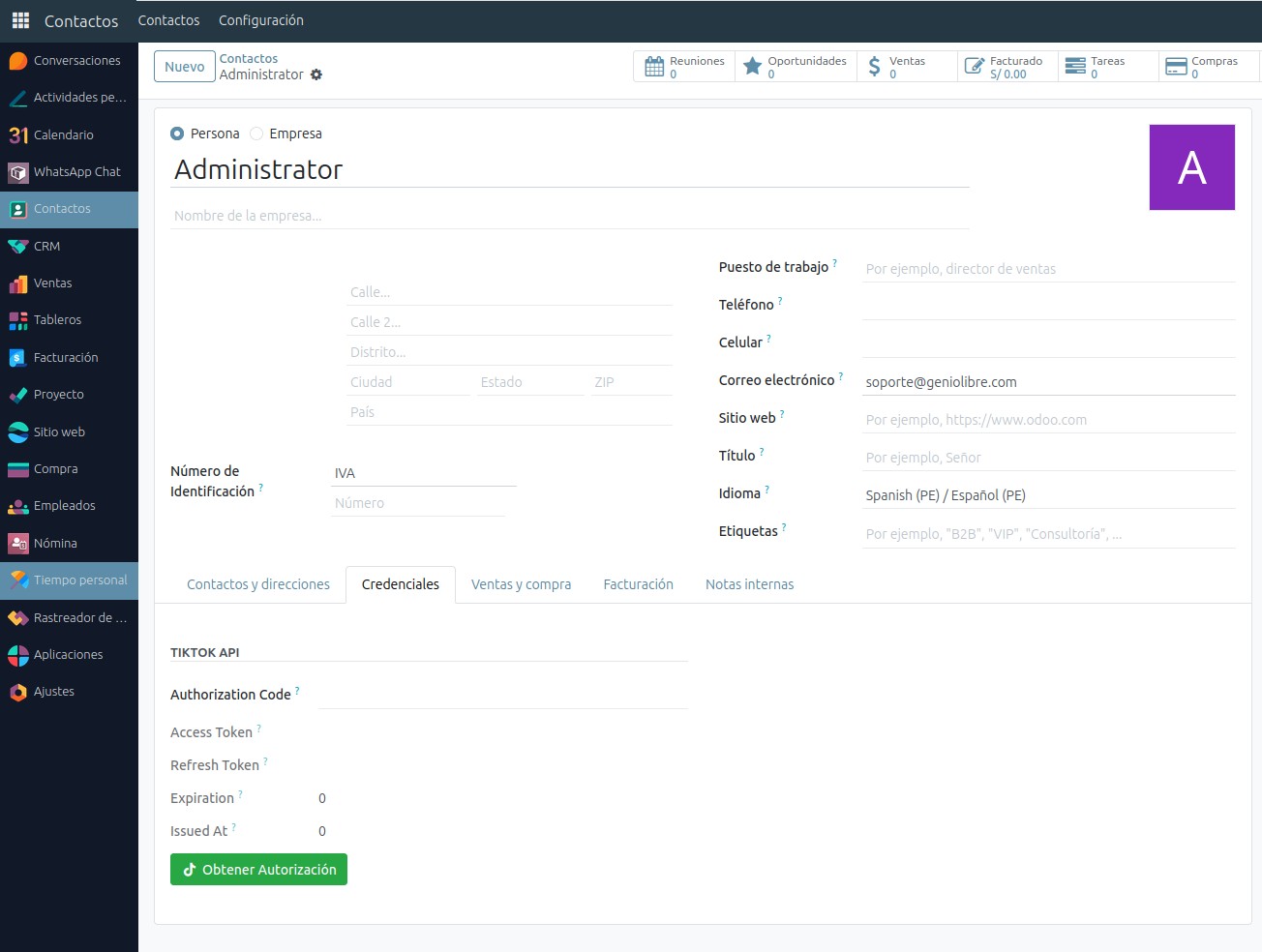
To connect TikTok with Odoo, log in through the addon:
- Go to Contacts and open your company record
- Click the green Get Access Token button
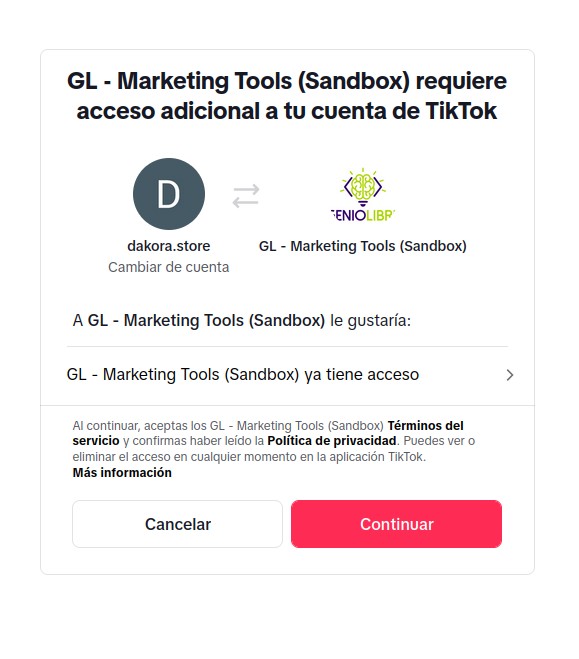
- Login to TikTok and grant permissions
- You'll return to Odoo with your account linked
The addon manages the connection securely.
Security Note: Your credentials are never stored on our servers.
3 Usage
Steps to publish Reels:
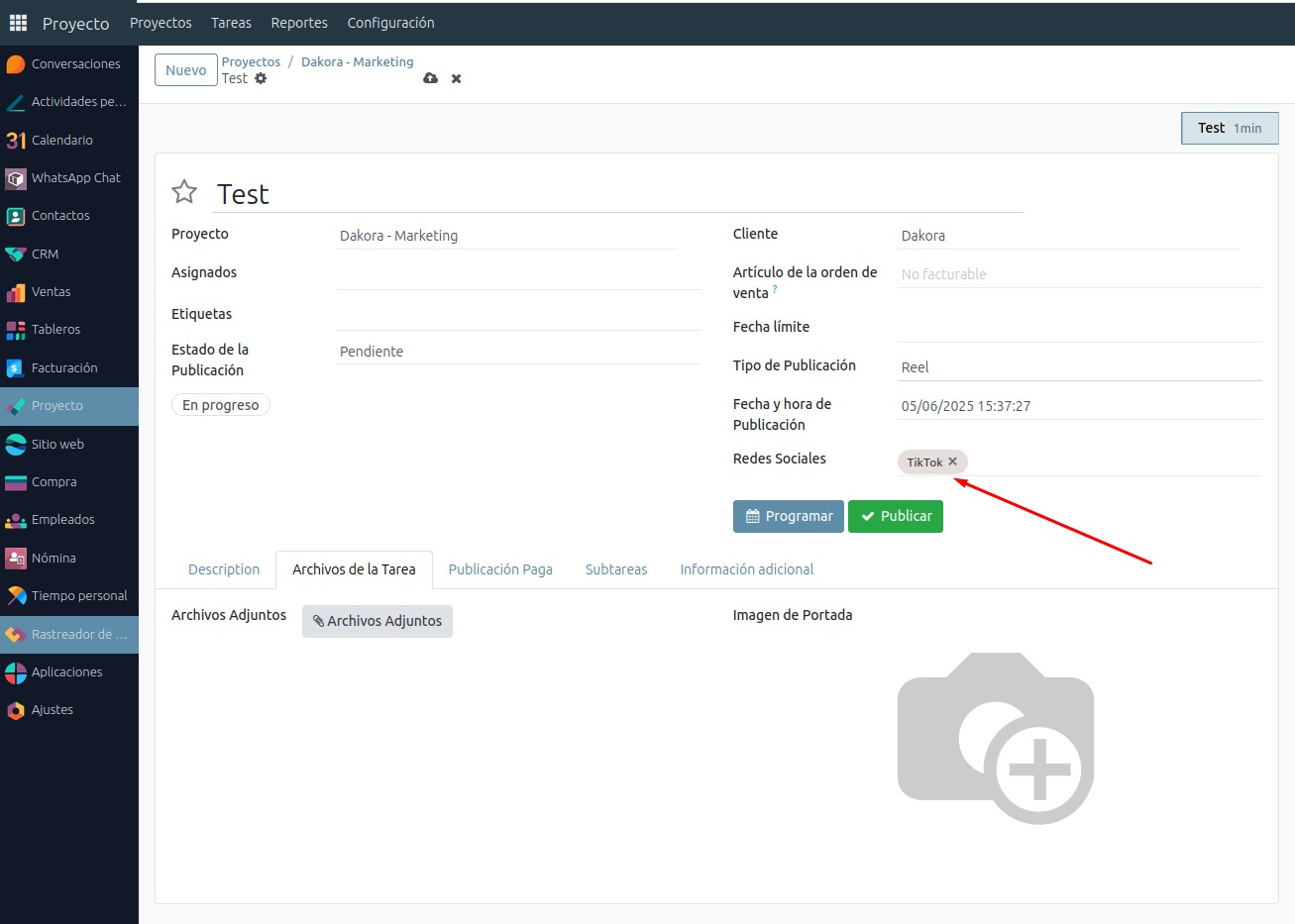
- Access Projects from the Project app
- Create a new marketing project
- Create a task with type Reel and platform TikTok
- Upload your video, add description/hashtags, and set status to Approved
- Choose Publish Now or Schedule
- Get confirmation of success
Note: Odoo will publish scheduled posts at the right time automatically.
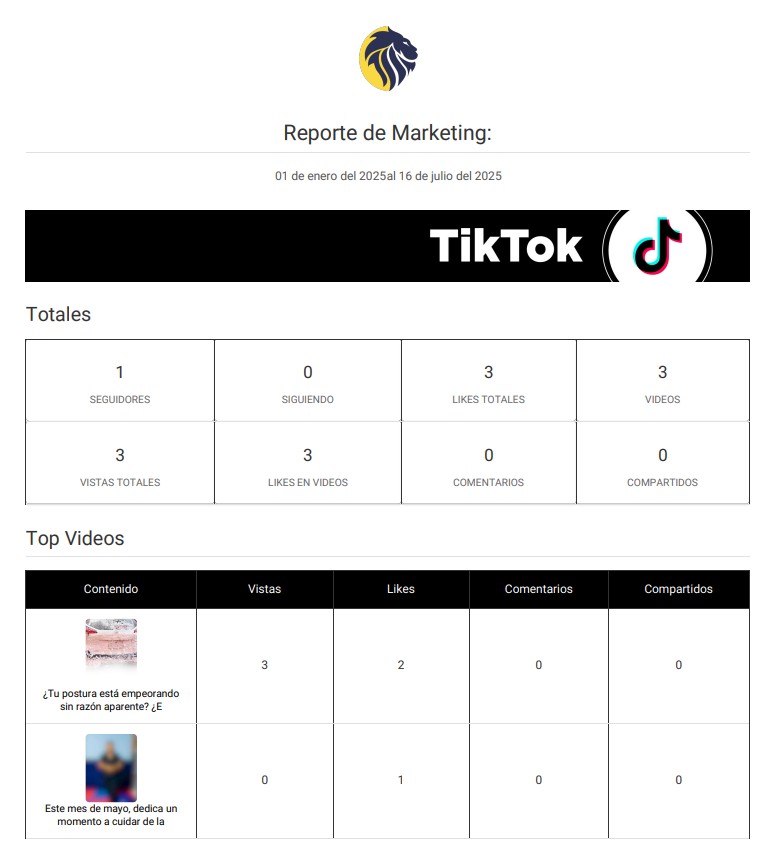
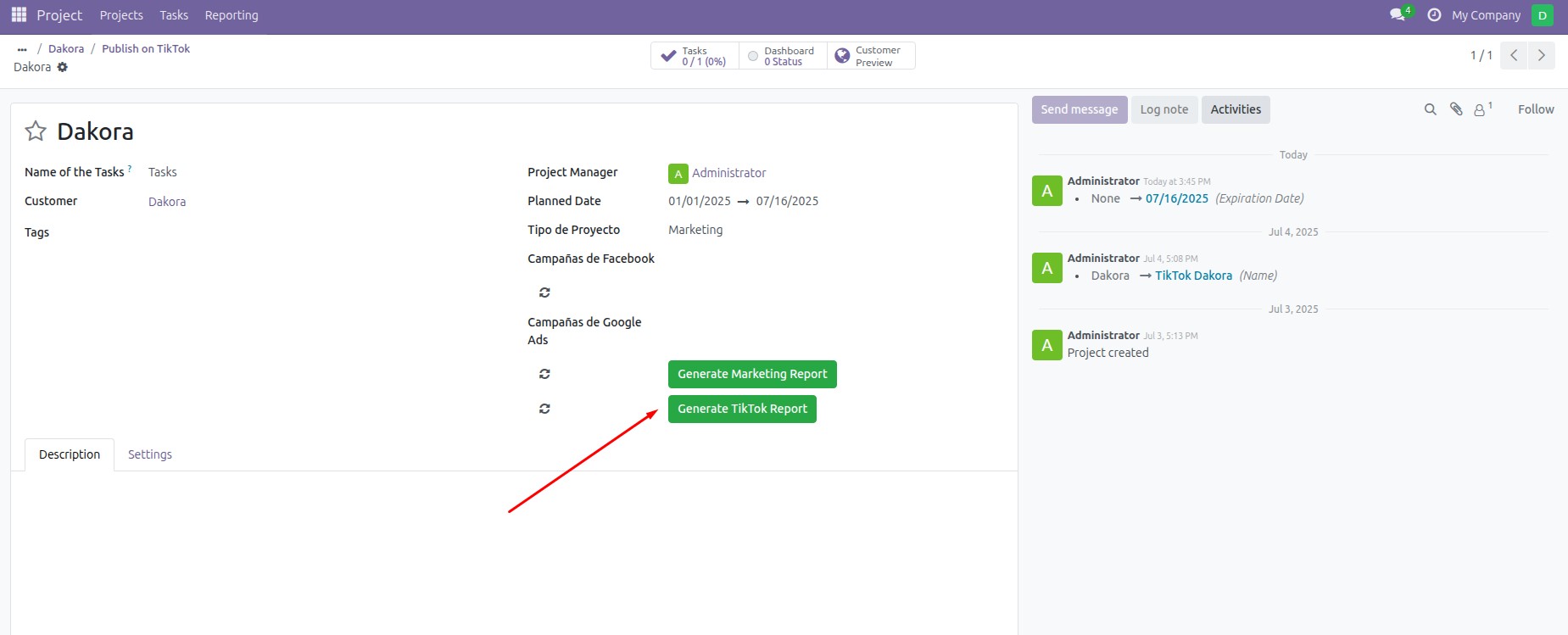
5 Generate Report
Steps to generate a performance report:
- Select the start and end dates
- Ensure you have the required access
- Click the Generate Report button – and you're done!
Your report will be exported in PDF format.